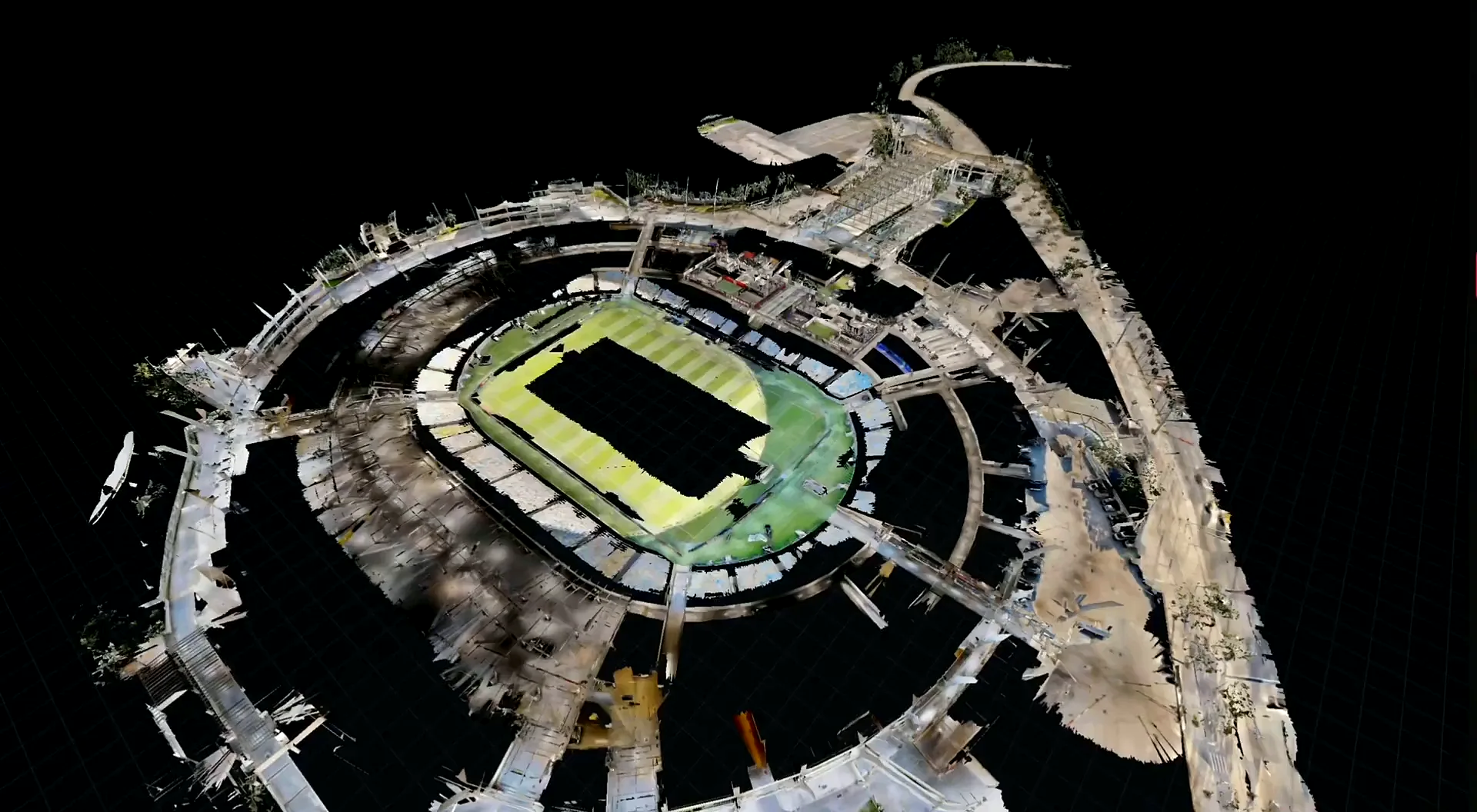
What should a venue scanning handover include? It should include the exact files the next team can use, together with units, coordinate basis, coverage, level of detail, ownership, access and acceptance criteria. The core deliverables may be a registered colorized point cloud, measured 2D floor plans, a hosted Matterport walkthrough, measurements or a modeled building object. Each solves a different job. Specify outputs by use, not by a loose request for “the scan.”
Acosta Spatial Collective’s service experience includes registered colorized E57, RCP and LAS point-cloud files; floor plans in PDF, DWG and DXF; hosted walkthroughs and MatterPak assets; measurements; and media tags with rider notes or specifications. The final package should still be matched to the project and the receiving software. Confirm which files are included, which are prepared separately and what support data travels with them.
Four kinds of venue deliverables
Point cloud: measured source geometry
A point cloud is a set of 3D points representing visible surfaces. Color can add context, while point density and registration affect its usefulness. Specialist software can measure or trace the data, but the recipient still interprets it. The cloud does not automatically contain editable walls, doors, equipment labels or design intent.
Measured drawings: selected geometry made legible
An as-built floor plan, reflected ceiling plan or section is drafted from captured conditions for an agreed purpose. PDF is convenient to read and mark up; DWG and DXF can be used in CAD workflows, depending on the recipient’s software. Specify the levels, rooms, openings, dimensions, annotations, symbols and title information. A scan does not make those drafting choices.
Hosted walkthrough: visual orientation and communication
A hosted Matterport 3D tour lets a viewer move through a space and understand relationships between visible areas. Depending on the product and scope, the walkthrough may include a dollhouse view, schematic plan, measurements or media tags. It is a useful access layer for operations, touring, sales and event teams, but it is not a substitute for a point cloud or an issued drawing when those technical files are needed.
Model: objects and intent interpreted from source data
A CAD or BIM model is a separate interpretation step: a modeler turns selected conditions into objects and relationships. The point cloud is not an automatically complete building information model. Only include “BIM” in a scope when the application, model elements, information level, coordinates and review criteria are explicit. A geometry model is not a certified engineering document.
Common file formats in buyer language
| Format | In plain language | Ask before delivery |
|---|---|---|
| E57 | A vendor-neutral point-cloud exchange format. Matterport describes its E57 output as containing high-density point-cloud data, scan poses and associated panoramic imagery/metadata. | Confirm the capture source, structure, units, registration, coordinate placement, included imagery and recipient import workflow. |
| RCP / RCS | Autodesk ReCap project and scan-data formats. An RCP project may reference RCS data and companion folders rather than contain every point in one portable file. | Deliver the full project folder and referenced files; have the recipient open it in the intended ReCap version. |
| LAS | A point-cloud exchange format used in geospatial and other point-data workflows. Software support and accepted attributes vary. | Confirm the receiving application, coordinate reference, units, color/intensity fields and whether classification is expected. |
| A portable drawing or sheet for viewing, review and printing. It may be a rasterized plan or vector output. | State scale, page size, units, line weight, dimensions and whether the PDF is intended to be measured or only reviewed. | |
| DWG | A native drawing format associated with AutoCAD and related CAD tools. | Specify the target software/version, units, layers, xrefs, fonts, plot styles and whether the file includes separate floor levels. |
| DXF | A drawing-exchange format used to transfer CAD geometry between applications; details may change across software. | Test a sample in the recipient’s target software and confirm scale, layers, units, text and geometry. |
Autodesk’s ReCap supported formats documentation lists E57 and LAS among point-cloud formats and RCP/RCS as project formats. Autodesk’s guidance on point-cloud formats in AutoCAD also illustrates an important distinction: a file can be recognized by a companion product or through conversion without being directly attachable as an editable drawing in every AutoCAD workflow.
MatterPak needs equally careful naming. Matterport describes the bundle as containing items such as a colorized XYZ point cloud, plan imagery and an OBJ mesh. Its support page says an RCP is not included in the bundle and that a conversion step may be needed. An E57 is not synonymous with MatterPak. See the official MatterPak contents and E57 overview before treating a product name as a complete delivery schedule.
Units, coordinates and level of detail
Units should be written in the scope and stated in the handover. A drawing intended for U.S. venue work might use feet and inches, while another project may need metric units. A file that opens at the wrong scale can be misleading even when its geometry is otherwise intact. Ask the receiving designer which units they want, whether dimensions should be rounded, and whether the drawing title block should state them.
Coordinate placement also matters. A point cloud can be internally consistent in a local coordinate frame yet still need rotation, translation or control to align with the venue’s existing site model. If a project depends on a survey datum, project grid or campus coordinates, state the source of control and who is responsible for verifying alignment. If no site control is specified, agree on a useful local origin and orientation so different files can still be related.
“Level of detail” should name what will be represented. Does the buyer need visible structure only, or doors, fixed seating, accessible routes, stage edges, curtains, case routes, equipment and selected room names? Does the point cloud require color, classification, scan-position structure or panoramic images? Does the drawing show all rooms or only the capture boundary? Exclusions should be visible in a scope note.
Do not make a single instrument specification stand in for a project acceptance test. The applicable tolerance depends on the scope, range, environment, control, registration, processing and use. If dimensions will inform a renovation or fabrication decision, identify the critical checks and have the responsible design or survey professional confirm the required method.
Ownership, hosting and future access
Clarify who owns and may reuse the raw capture, point cloud, drawings, photographs, tour and derivatives. Can the venue share files with designers or production vendors? Is public display allowed? Should any zones be withheld? Deliver a durable, named and dated folder, not only a temporary link.
For hosted services, confirm whether access is public, password-protected or account-restricted; who administers it; how long it lasts; and what renewal, transfer or update requires. A hosted tour and downloadable MatterPak may have different terms. Platform subscriptions are separate from professional scanning fees; verify current terms directly.
For renovations, keep a revision record of capture dates, updated areas, unchanged reference data, file versions and recipients. Define whether recapture must align to the prior coordinate basis and who checks it, so teams do not mistake an old condition for a current one.
Make acceptance testable
Make acceptance observable. Specify included zones, formats, units, coordinate basis, point-cloud color, drawing sheets, permissions, folder structure and QA report. For critical dimensions, name the checkpoints, reviewer and acceptable deviation. Set a process and deadline for reporting gaps or corrupt files.
Have the intended user open a sample: do units display correctly, are all support files present, can operations access the tour, and do the right floors and sheets appear? A successful download is not necessarily a usable handover.
Copyable venue deliverables checklist
Use this checklist in a quote request or project brief. Replace each prompt with the project’s exact requirement; do not assume that checking a file extension alone settles its content or suitability.
VENUE CAPTURE HANDOVER
[ ] Venue, building, levels and included zones:
[ ] Excluded, restricted or obstructed areas:
[ ] Intended decisions and receiving teams:
[ ] Capture date and condition to document:
[ ] Point cloud formats required: E57 / RCP-RCS / LAS / other
[ ] Point cloud: color, structure, imagery, registration and control:
[ ] Drawings: PDF / DWG / DXF; plans, sections, ceiling plans:
[ ] Drawing scale, units, layers, dimensions and title-block requirements:
[ ] Hosted tour, MatterPak, measurements and media tags:
[ ] Coordinate reference, origin, orientation and vertical basis:
[ ] Required accuracy or acceptance checks; reviewer:
[ ] Ownership, reuse rights, access controls and hosting term:
[ ] Folder structure, naming convention and support files:
[ ] Delivery date, review window, corrections and acceptance:
[ ] Update path, revision naming and archive owner:
If you are still choosing the capture workflow, compare Matterport tours and terrestrial laser scanning. If your primary question is the budget, see what drives venue 3D scanning cost. Both decisions affect what belongs in this handover list.
Frequently asked questions
Does a point cloud automatically become an as-built drawing?
No. The cloud is measured source data. Someone must interpret and draft selected geometry into plans, sections or other drawings, using the requested conventions and acceptance criteria.
Is an RCP file the same as an E57 file?
No. E57 is a vendor-neutral exchange format. RCP/RCS are Autodesk ReCap project and scan-data formats. Conversion, folder contents and compatibility should be agreed with the recipient.
What should be included with an RCP delivery?
Confirm that the project opens on another machine and includes the referenced RCS files and support folder. A small project file alone may only point to data stored elsewhere.
Is a hosted tour a substitute for a model?
No. A walkthrough supports visual navigation. A point cloud supports measured inspection, and a model contains interpreted objects. Specify whichever of these the project team needs.
Specify your required deliverables.
Share the venue, recipient software, format requirements, coordinate needs and decisions the handover must support. Acosta can help clarify the capture scope and file list.
Technical references
- Matterport E57 File Overview — E57 description and Matterport export context.
- Matterport MatterPak Bundle — listed package contents and conversion note for RCP.
- Autodesk ReCap supported file formats — point-cloud format support.
- Autodesk: point-cloud file formats in AutoCAD — distinction between ReCap conversion and AutoCAD point-cloud attachment.